
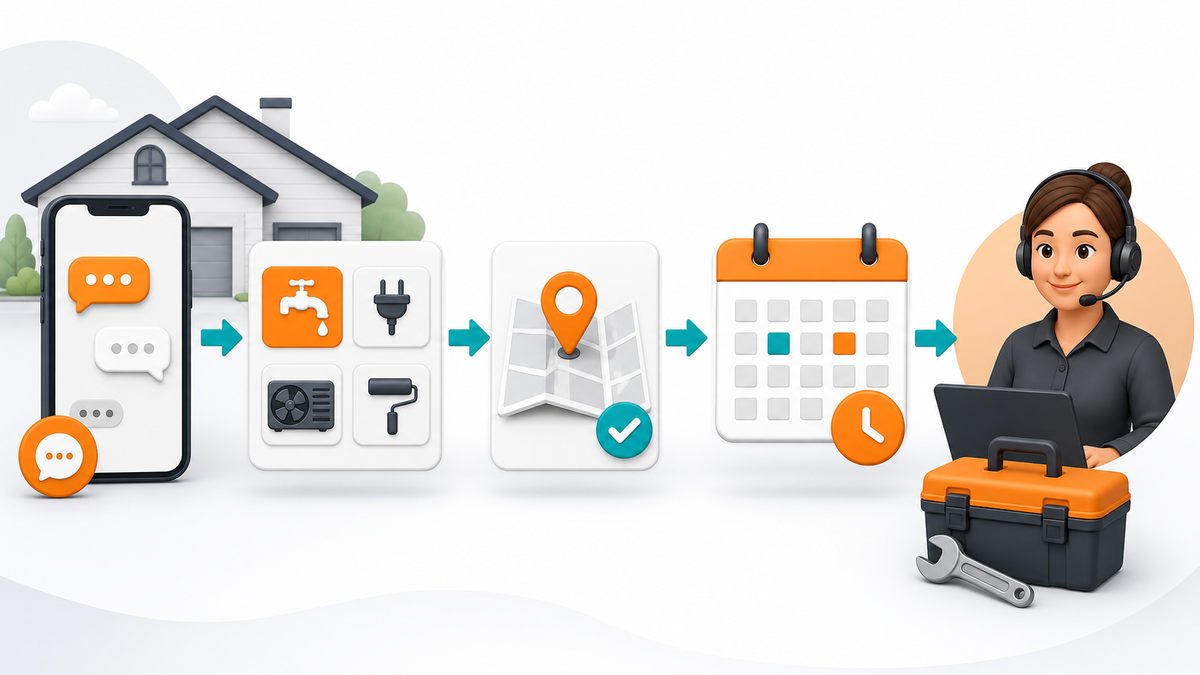
A homeowner who messages a plumbing, heating, electrical, roofing, or cleaning company usually wants a clear next step. They may be comparing providers, dealing with a time-sensitive problem, or trying to understand whether the business serves their area. A slow or confusing response gives the lead a reason to keep searching.
The answer is not a long automatic script. Home service teams need a short response system that confirms receipt, collects the few details that change the next action, and moves the conversation to a coordinator or technician with the context intact.
Start With the Job the First Reply Must Do
The first reply should identify the business, set an honest expectation, and ask for one useful detail. It does not need to estimate the job, diagnose a safety issue, or promise a technician before a person reviews the request.
A strong acknowledgement might say that the team has received the message, list normal staffed hours, and ask for the service ZIP code plus a short description. That gives the customer reassurance while helping the business decide whether the request is in the service area and which team should see it.
| Message type | Useful first action | Owner |
|---|---|---|
| New estimate | Collect service type and ZIP code | Estimator or sales coordinator |
| Schedule change | Confirm job identity and preferred time | Dispatch or office team |
| Existing-job question | Capture the issue and job location | Service coordinator |
| Safety or complaint | Stop automation and hand off | Accountable team lead |
Keep emergency language careful. An automatic response should never imply that a message is being monitored for urgent hazards unless the company actually provides that coverage. If a situation may involve immediate danger, the message can direct the customer to the appropriate emergency service and explain when the business team will respond.
Collect Only the Details That Change the Next Action
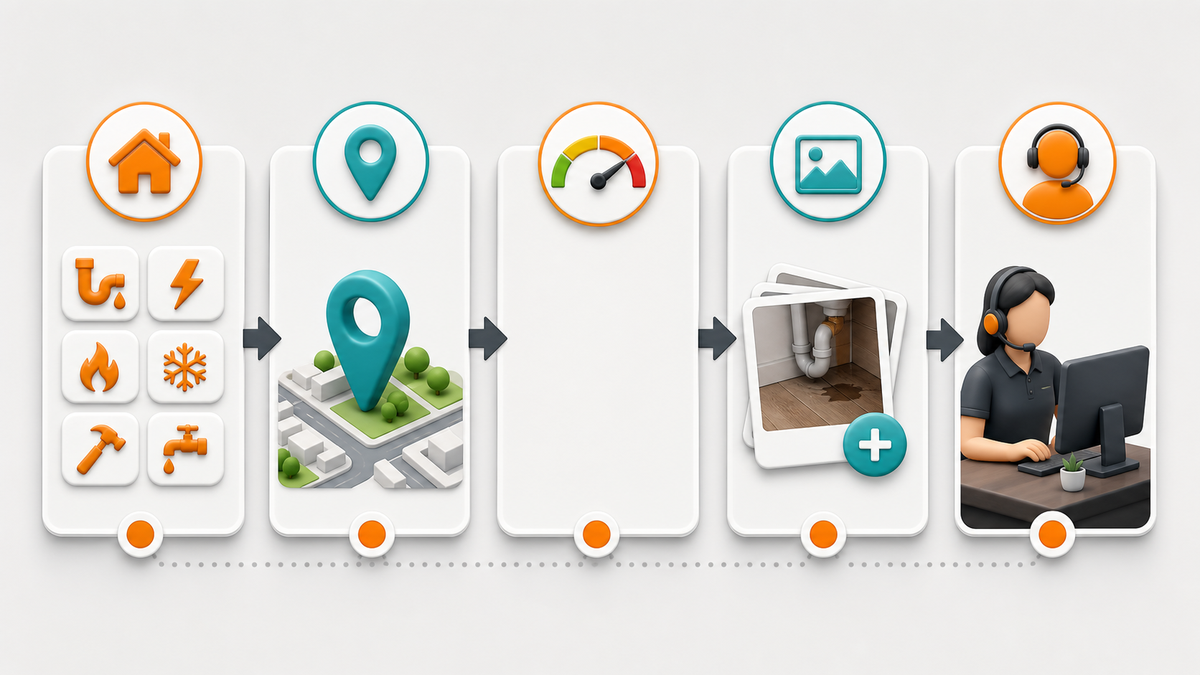
Every question adds friction. Ask for information only when the answer changes routing, scheduling, or preparation. Most home service leads can begin with a compact intake:
- service type;
- ZIP code or service area;
- new request or existing job;
- urgent, soon, or planning ahead;
- preferred appointment window;
- an optional photo when it helps the team prepare.
Do not ask for payment information, passwords, or unnecessary personal details in a social message. When the next step needs protected account or billing information, direct the customer to the company’s approved secure process.
Teams can adapt the checklist by trade. A heating and cooling company may ask whether the issue is heating, cooling, or indoor air quality. A roofing company may separate leaks from inspection or replacement requests. A cleaning company may need property type and approximate size. The intake should reflect how the business actually assigns work.
Use a Simple Route for Common Lead Types
Most home service messages fit one of four lanes: a new estimate, scheduling, an existing-job question, or a general service question. A short menu can reduce back-and-forth, but it should always allow the customer to describe something that does not fit.
When the Page needs a dependable first response, the Facebook Messenger auto reply setup and troubleshooting guide explains the difference between a simple instant reply, keyword routing, a structured workflow, and human handoff. That distinction helps a contractor avoid overbuilding the system.
Route new estimates to the sales or estimating owner. Route schedule changes to dispatch or the office team. Send existing-job questions with the job address and customer-selected topic so the responder can find the record. General service questions may receive an approved answer, but unusual conditions should move to a person.
Write Responses That Set Realistic Expectations
Fast acknowledgement does not mean instant resolution. If the office is staffed from eight to five, say when the team normally replies during those hours. If after-hours messages are reviewed the next business day, make that clear. Do not promise “immediate service” unless the schedule and staffing support it.
Use separate wording for staffed and away periods. During staffed hours, the first response can say that the team is reviewing the request. Outside those hours, an away response can acknowledge receipt, give the next review window, and show what information will help when the office opens.

Every message should sound like the same business. A premium remodeling company may use a consultative tone. A repair company may be brief and action-oriented. A family cleaning service may sound warm and practical. The wording changes, but the promise must remain true.
Make Human Handoff Part of the Design
Handoff is where many message systems fail. The customer answers several questions, then reaches a staff member who asks for all the same details again. Prevent that by passing a compact summary into the team’s normal work process.
The summary can include the service type, location, urgency selected by the customer, preferred time, photo status, and whether the person is asking about a current job. The coordinator should also see the last automatic message so they understand what the customer expects.
Offer a human path early. A customer dealing with a complaint, a safety concern, an unusual property condition, or a billing question should not be trapped in repeated prompts. After one failed attempt to identify the request, ask the customer to describe it in their own words or request a person. Teams that want a broader framework for safe routing can use this customer service chatbot handoff guide to plan automation, human handoff, and clear customer next steps before changing a live inbox.
Connect Message Handling to Scheduling and Field Operations
A useful response system ends in an operational action. The lead may need an estimate slot, a service-call window, a callback, or a request for additional photos. Assign a clear owner to each outcome instead of leaving the message marked unread in a shared inbox. For a confirmed service-call window, appointment reminder templates can help the office keep timing and ownership clear without promising an arrival before dispatch confirms it.
Contractors already benefit from keeping equipment, service records, and recurring processes organized. Orange Donkey’s guide to equipment auditing for HVAC contractors shows the same operational principle: consistent records make the next decision faster. Message intake works the same way when the team captures a small, reliable set of fields.
Do not copy every chat message into every system. Decide which details are needed for dispatch, which belong in a customer record, and which can remain in the conversation. Data minimization makes the process easier to maintain and reduces unnecessary exposure.
Test the Response System Like a Customer
Test from a separate account on a phone and a desktop. Start a fresh conversation, then test an existing thread. Check staffed and away periods. Try each menu choice, a misspelled keyword, a message that fits no option, and a direct request for a person.
Open every link. Confirm the correct Page and service area. Verify that a coordinator can see the collected details and that the customer receives a clear message when the conversation changes hands.
Run the test again after changes to hours, service areas, team responsibilities, forms, or booking links. A response that was accurate last season may create the wrong expectation after a staffing or scheduling change.
Measure Whether the System Helps the Business
Do not judge the workflow by how many automatic messages it sends. Track whether qualified leads reach a person with usable context, how often customers abandon the path, how many requests need rework, and whether the scheduling team responds within the stated window.
Review a small sample of conversations each month. Look for questions the workflow did not recognize, wording customers misread, and details that staff repeatedly request after handoff. Improve the route only when the change makes the customer’s next step clearer or the team’s work easier.
Operational documentation also protects continuity as a company grows or changes ownership. The Orange Donkey article on organizing home service operational assets explains why repeatable processes and records matter beyond a single job.
A Practical Launch Checklist
- Identify the business and confirm receipt.
- State staffed response hours honestly.
- Ask for service type and location first.
- Collect only details that change routing or preparation.
- Separate new leads, scheduling, and existing-job questions.
- Provide a visible path to a person.
- Pass the customer’s answers into the human handoff.
- Test fresh and existing conversations on mobile and desktop.
- Review the wording after any operational change.
Frequently Asked Questions
Should a home service company use an automatic Facebook reply?
It can be useful for acknowledging the message, setting an honest response window, and collecting a small amount of routing information. A person should review estimates, unusual conditions, complaints, and sensitive requests.
What should the first reply ask a homeowner?
Start with the service type, ZIP code, and a short description. Add urgency or appointment preference only when those details change the next action.
How many choices should a message menu include?
Use a short list that matches the team’s real routing, usually new estimate, scheduling, existing job, and another question. Always allow the customer to describe something outside the menu.
When should the workflow hand off to a person?
Handoff should be available on request and should happen for safety concerns, complaints, billing or account questions, unusual conditions, or after the automation cannot identify the request.
How often should the response system be reviewed?
Review it after changes to hours, service areas, staffing, forms, or booking links, and sample conversations monthly to find unclear wording or broken routes.



0 Comments